
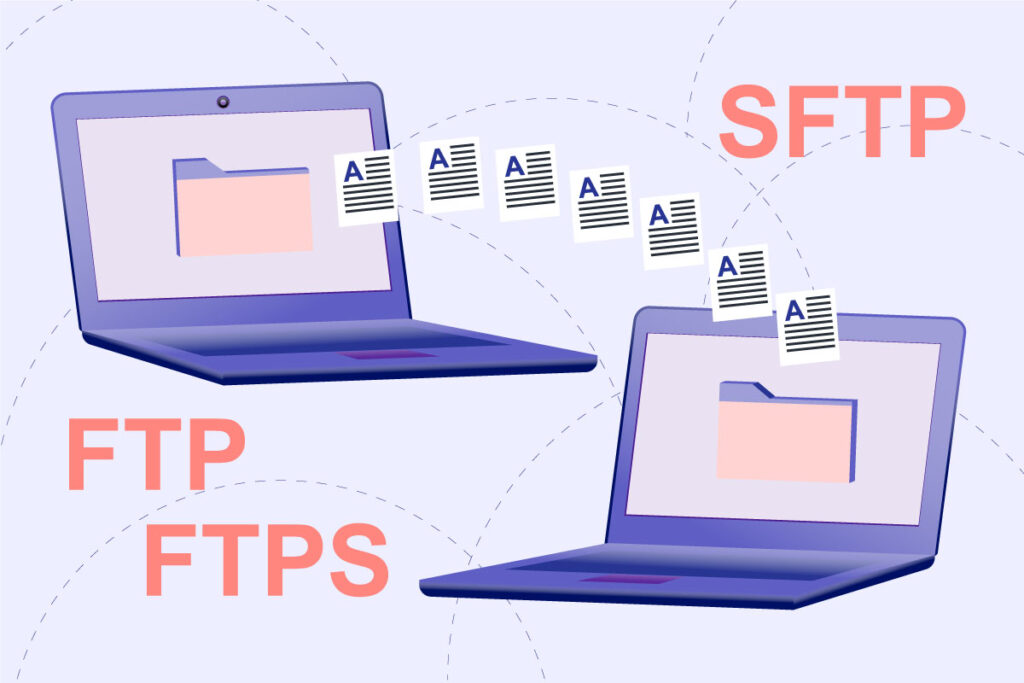
If you want to connect to the server of your website to transfer or manage files, the simplest solution is to use a client FTP. But when you configure such a client (for example, the famous FileZilla), you might notice that it supports both FTP and SFTP and FTPS!
In this article we will clarify a common doubt among users of these software: the difference between the aforementioned connection modes and whether one is preferable to the others.
Table of contents
- FTP, SFTP, FTPS: what DOESN’T change
- What does FTP (File Transfer Protocol) mean?
- What does SFTP (Secure Shell File Transfer Protocol or Secure File Transfer Protocol) mean?
- What does FTPS (FTP-SSL alias FTP Secure) mean?
- Technical deepdive: FTP over SSH
- In brief… Which should you choose between FTP, SFTP and FTPS?
FTP, SFTP, FTPS: what DOESN’T change
Innanzitutto, per rendere ancora più semplice la comprensione delle differenze tra FTP, SFTP e FTPS, parliamo di cosa NON cambia dall’uno all’altro: per l’utente finale (tu), non c’è praticamente alcuna differenza di esperienza!
Using the client/server model, all these protocols support direct file transfer between the chosen client and the web server. In other words, you will always be able to:
- connect to your server;
- browse all files (even hidden ones, provided that the file system permissions are consistent with those of the FTP user);
- upload files from your local computer to your server;
- download files from your server to your local computer.
However, there are some differences “under the hood”, but to understand them one must keep in mind what we precisely mean with each of these abbreviations.
What does FTP (File Transfer Protocol) mean?
This protocol uses two separate channels to transfer information: a command channel and a data channel.
By default, both of these channels are not encrypted, which means that malicious individuals could intercept the information you are transferring, even though you need to authenticate with a username and password when you connect.
What does SFTP (SSH File Transfer Protocol or Secure File Transfer Protocol) mean?
The first version of SFTP dates back to 1997 in proprietary form and was created by the company SSH Communications Security.
SFTP offers the same basic function as FTP, but presents itself as an SSH extension protocol: SSH stands for Secure Shell, a cryptographic protocol that provides secure access to a machine (your server, in this case) on unsecured networks.
SFTP uses a singular channel and allows you to authenticate your client using an SSH username/password (in addition to the standard FTP one) or SSH cryptographic keys.
With SFTP, your connection is always protected and the data that moves between your FTP client and your web server are encrypted. This means that malicious actors cannot “sit in the middle” and intercept your data.
This would be particularly dangerous if I were to transfer files with sensitive information. For example, with a WordPress site, you could transfer the wp-config.php file, which includes the database credentials, or even the SMTP mailer credentials used for sending emails.
Try Hosting4Agency on a site of your choice for 30 days and compare the performance before/after the trial period!
What does FTPS (FTP-SSL alias FTP Secure) mean?
We come to the second possibility: FTPS (with the “s” at the end and not at the beginning of the acronym!). In this case, we are talking about an extension to FTP that adds support for Transport Layer Security (TLS), what was once called the Secure Sockets Layer (SSL).
Stavolta la garanzia della crittografia non viene dallo SSH, bensì è gestita ad un altro livello e comprovata da un security certificate che verrà fornito dal server FTP e dovrà essere approvato dal nostro client la prima volta che stabiliamo la connessione.
Technical deepening: FTP over SSH
I know, all these similar acronyms can almost seem like a “conspiracy” to confuse the poor final users, but we haven’t finished yet… It must be said that when we talk about SFTP or FTPS, we are referring to communication protocols, not to tunneling: in this latter case, we instead speak of FTP over SSH, i.e., the creation of a “SSH tunnel” inside which we transport the FTP connection.
This other usage mode has never enjoyed great popularity, and there are few software that support it: the fact that FTP uses multiple TCP connections (an unusual feature for a modern protocol) makes passing through the SSH tunnel particularly difficult, for this reason, it was preferable to develop specific communication rules apart.
In brief… Which should you choose between FTP, SFTP and FTPS?
As it is probably already clear, you should always use SFTP or FTPS, because they are the most secure ways to connect to your server and transfer information.
If then, once it is clarified that what matters is not using the “simple” FTP, we wonder between FTPS and SFTP which one is the best in terms of security… The truth is that there is no clear winner (we recommend this technical discussion to the more curious).
We hope that this article has helped you find the answer to one of the various doubts surrounding website management. We know very well that new questions, uncertainties, and issues can arise every day on this topic, which is why agencies like ours exist to monitor, optimize, and continuously update our clients’ websites.
If you also wish to get rid of stress and losses of time caused by managing your websites, we can handle it for you, helping you greatly simplify your work!
For example we of Hosting 4 Agency guarantee FTPS to all our clients (even with the possibility of white label certificates) and SFTP on request, for who prefers it.
Start making your website management easier: take a look at our benefits and contact us for a free quote!
Make your website management more agile by relying on us. Hosting4Agency is the key to mastering FTP, SFTP and FTPS without hiccups!