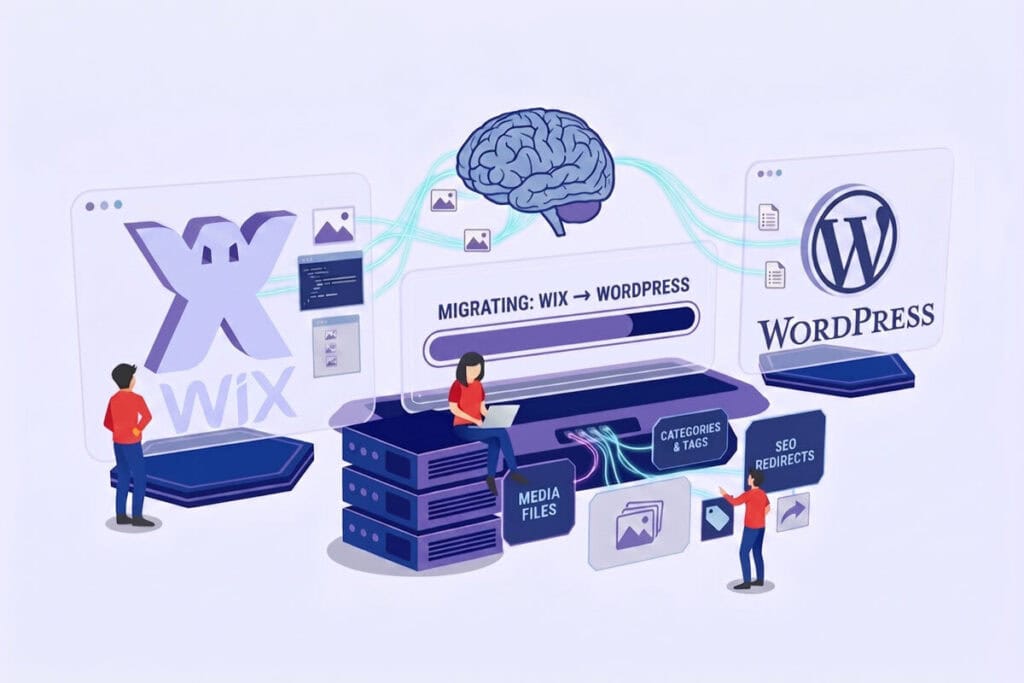
If your website is growing, you may have noticed that proprietary platforms based on visual builders start to show their limits. The need for more flexibility, full ownership of your data and advanced SEO optimisation lead many companies to plan a Wix to WordPress migration.
However, extracting data from a closed ecosystem is no trivial task. Manual export is often impossible when you need to keep the site architecture, dozens of images and the authority built up on search engines intact.
In this article we’ll see how artificial intelligence, and in particular models optimised for software development, can help us create a custom Python script to automate the extraction and conversion of content, including some of the most useful code snippets.
The working environment: Visual Studio Code and GPT-5
Until recently, writing a data extraction script like this took weeks of hard work. Today, thanks to AI agents, the time has dropped dramatically. The ideal working environment for this project is Visual Studio Code, natively integrated with the very powerful GPT-5 model.
This model introduces “agentic programming”: the AI analyses the whole project, creates the directory structure and runs tests on its own, speeding up the writing of complex scripts for web scraping and data formatting.
From Wix to WordPress: generating the WXR file
The end goal of our Python script is not to force the data into the new database, but to generate a WXR file (WordPress eXtended RSS). It’s a special XML file, structured according to WordPress rules, which allows a safe import from the admin panel.
To start this file correctly, the AI generates code that loads the right libraries (such as lxml) and declares the mandatory XML namespaces so that WordPress recognises the file:
Python
from lxml import etree as ET
from lxml.etree import CDATA
# Mandatory namespace declaration for the WordPress WXR format
NSMAP = {
“dc”: “http://purl.org/dc/elements/1.1/”,
“wp”: “http://wordpress.org/export/1.2/”,
“content”: “http://purl.org/rss/1.0/modules/content/”
}
# Creating the root node of the XML file
root = ET.Element(“rss”, version=”2.0″, nsmap=NSMAP)
channel = ET.SubElement(root, “channel”)
For the import to be a complete success, the script must pay the utmost attention to three critical elements of your old website.
1. Mind the difference between Categories and Tags
A messy site loses rankings on Google. Our script must keep the architectural difference between broad categories and specific tags intact.
Inside the WXR file, the artificial intelligence will generate Python code that explicitly separates the domain (the XML domain) of the category from that of the tag:
Python
# Example: generating a node for Tags
tag_node = ET.SubElement(item, “category”, domain=”post_tag”, nicename=”artificial-intelligence”)
tag_node.text = CDATA(“Artificial Intelligence”)
# Example: generating a node for Categories
cat_node = ET.SubElement(item, “category”, domain=”category”, nicename=”technology”)
cat_node.text = CDATA(“Technology”)
This step ensures that your new navigation menu stays perfectly in order, exactly like the original.
2. Handling media files safely
If you only transfer the text of your articles, your images will physically remain hosted on the old platform’s servers (hotlinking). If one day you decided to cancel your old subscription, your site would be left without images.
To avoid this problem, the Python script creates a special entity for each image (called an attachment). In addition, so that WordPress recognises the main image of an article (the so-called Featured Image), the script writes a hidden parameter in the database called _thumbnail_id:
Python
# Connecting the Featured Image to the article via postmeta
post_meta = ET.SubElement(item, “{http://wordpress.org/export/1.2/}postmeta”)
meta_key = ET.SubElement(post_meta, “{http://wordpress.org/export/1.2/}meta_key”)
meta_key.text = CDATA(“_thumbnail_id”)
meta_value = ET.SubElement(post_meta, “{http://wordpress.org/export/1.2/}meta_value”)
# The numeric ID matches the image previously imported as an attachment
meta_value.text = CDATA(“105”)
Thanks to this syntax, WordPress will download and save all the media files on your new server, assigning them permanently to the right articles.
3. Preserving organic traffic
Changing technology platform often means changing the link structure (URLs). To avoid losing the organic traffic you’ve worked hard to earn, your script must implement a 301 redirect strategy.
The Python code is instructed to pair each old Wix URL with the new clean URL (called a permalink) just created on WordPress, automatically filling in a CSV file. This map will be essential to tell search engines where your content now lives, removing the risk of the dreaded “404 errors”.
We can help
Managing a complex technology migration takes more than advanced tools: it takes solid strategic planning and tailored care for the data, work that your agency often doesn’t have the time (or the margin) to develop in-house for every single client.
At Hosting4Agency we study and integrate the best artificial intelligence technologies every day to automate these processes, offering web agencies ready-to-use scripts and infrastructure in white label, from building secure architectures to strategic migrations, so that your clients’ projects never lose online visibility.
Is your agency handling an important technology switch for a client, and do you need a reliable technical partner to delegate the infrastructure to without putting your brand in the background? Our team is here for you.
Contact us today to request a preliminary analysis of your project!
Contacts
"*" indicates required fields
Your business, “Without Worries”
It’s time to take back control of your time. Focus on acquiring new customers, marketing strategies, and developing excellent code. At machines, performance, and IT security, we’ve got it covered.
Request today your free 30-day trial and unlock the potential of your agency!