Email are a great way to reach your audience and grow your clientele.
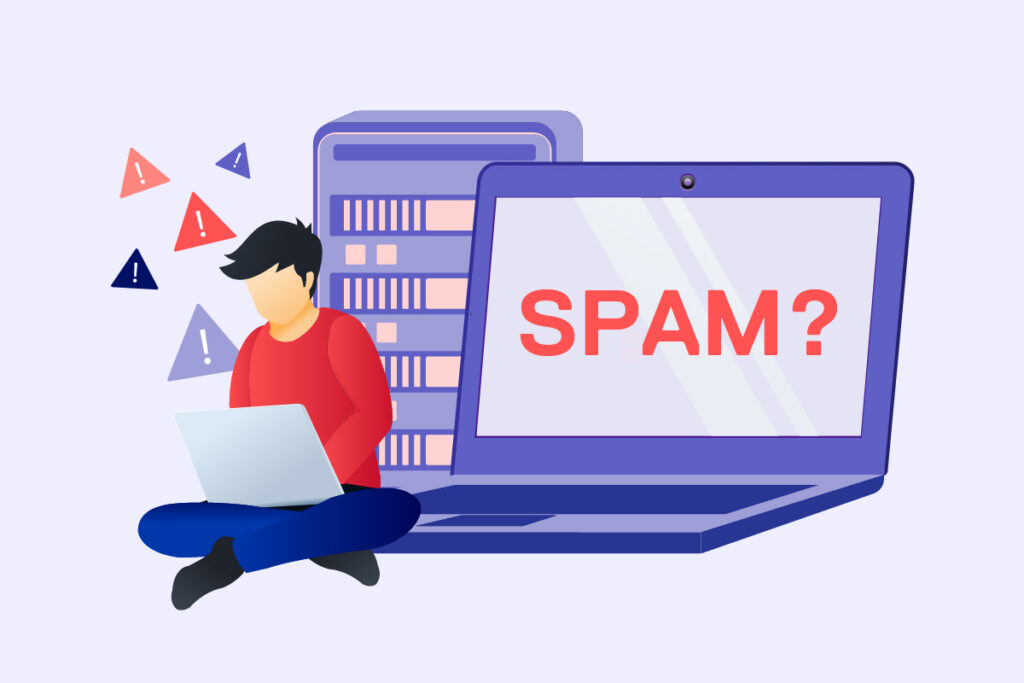
It is estimated that in the next 4 years about 60 billion spam emails will be sent and obviously nobody likes receiving spam. In most cases, well the 20% of emails will never reach the recipient’s inbox, which can turn out to be a big problem in terms of objectives and costs.
Avoiding having emails end up in spam is therefore an important issue to address as soon as possible, because over time it can lead to a waste in terms of investments and also potential conversions.
In this article we will describe the most common reasons why emails end up in spam and we will describe good practices to solve these issues and prevent them from recurring in the future.
Table of contents
- Why do my emails go to spam? What can you do and what can your hosting provider do
- 2. You are not following the best practices of HTML
- 3. The object rows are misleading or contain spam triggers
- 4. Your domain/DNS is not correctly configured
- 5. Your contents activate the anti-spam filters
- 6. You do not include a deletion link
- 7. Your “from” information is incorrect or misleading
- 8. You are sending too many attachments or the attachment is “dangerous”
- What are protocols for?
- Summary
Why are my emails going to spam? What can you do and what can your hosting do
There are many reasons why emails can be identified as spam, from the use of key words that trigger spam filters to incorrect authorizations and configurations of your domain or hosting service.
Examine some of the most common scenarios and analyze what you can do to ensure that your messages arrive correctly in your customers’ email boxes.
You need assistance to solve spam issues?
Contact us at support@hosting4agency.com!
1. The recipient has marked your emails as spam
The first and most obvious reason why your emails end up in spam is because your recipients move them there.
Even if the recipient has given you explicit permission to contact them, they might still decide to mark your email as spam by mistake or because they have forgotten that they voluntarily signed up for your newsletter.
Unfortunately, if a sufficient number of emails are reported as spam by users, the anti-spam filters may flag your email address and start automatically sending your mail (including future mail) to spam.
This means that your messages could appear as spam, even to users who have not explicitly flagged you in the past. This is particularly likely in Gmail, Outlook, Yahoo services and other services with algorithms heavily based on artificial intelligence.
Once the email is sent, there isn’t much you can do to prevent someone from marking it as spam.
What you can do is ensure that your contents are interesting and of quality and follow all the best practice to avoid your e-mail being perceived by recipients as spam. This can minimize the likelihood that someone intentionally marks your communications.
2. You are not following the best practices of HTML
Though text-only emails are fairly simple, they may not be a practical option for some companies like eCommerce as they do not engage the audience and are less appealing compared to emails that include graphics, photographs, and other HTML elements.
However, when you include HTML in your messages, it is important to follow some simple rules to ensure that they do not acquire a high spam score.
Here are some good practices to follow as recommended by spamAssassin and MailChimp:
- Maintain the maximum width of the email between 600 and 800 pixels. This ensures that it is large enough to be read easily, while behaving well in the preview panes of email clients.
- Keep in mind that images might be blocked by email clients and users might not see critical information if contained within media elements.
- Keep the code as clean and lightweight as possible, in particular the CSS and avoid JavaScript and Flash completely. These can be seen as attack vectors by spam filters and many email clients do not support them anyway.
- Make sure that messages are “mobile-friendly”: nowadays it is generally a good idea to design everything with a “mobile-first” philosophy. This means thumb-friendly buttons, small images that do not overload mobile networks, and safe fonts for email readable on small screens.
3. The object rows are misleading or contain spam triggers
The text lines of the subject are generally the first impression that a user receives from your message, so they should attract attention and encourage the email recipient to open it. However, they also need to be honest. A misleading subject is not only bad labeling but is also illegal according to the CAN-spam Act.
Remember also that messages that start with “RE:” but are not actually replies are commonly labeled as spam.
What does a decoy object look like? Here are some examples:
- Subscribe now
- “RE” or “FW”. Do not start the subject lines with “RE” unless you are actually responding to something. It’s a blatant trick and a quick way to gain deletion. Similarly, using “FW” can make someone believe they know you (the definition of misleading).
- Do you want to know how we increased our traffic over 1000%?
- Join over 20,000 people who receive our weekly newsletter with WordPress insider tips!
- Personal messages or important questions. Topics like “Did I leave my phone at your place?” or “Have you heard about so and so?” may make users doubt if the sender is aware.
- Overly sensational statements. Some lines of the object are not necessarily lies, but they are still a bit too exaggerated. In general, you need to ensure that the object line corresponds to the content that the reader will find in the email.
- THE TEXT OF THE OBJECT WRITTEN IN CAPITAL LETTERS
The subject of the email should be professional: do not type ALL CAPS and please, no grammar or spelling errors!
Finally remember: no matter what your objective is, make sure the content keeps its promise.
Otherwise, you risk damaging your reputation.
4. Your domain/DNS is not correctly configured
Another common reason why the “From” information in your emails may be incorrect is when email authentication is not properly configured through an external forwarder like MailChimp (or one of its alternatives).
There are, alternatively, several types of email authentication, of which the main ones are:
- DomainKey Identified Mail (DKIM) that prevents your email from being forged;
- Sender Policy Framework (SPF) that certifies the authenticity of your email;
- DMARC what we will define as ‘the sheriff of email’.
5. Your contents activate anti-spam filters
The spam filters check certain words (or word combinations). If an email receives enough matches or contains those words along with some of the other items on this list, it may end up in the spam folder. The spam trigger keywords may include:
- Additional income
- Easy money
- ,No cost
- Free
- Cheapest price
- More exclamation points or dollar signs in a row
- Words with spaces or unnecessary punctuation
- Words ALL IN UPPERCASE
In general, they are strongly sales-oriented words or clearly designed to bypass spam filters (like extra spaces). While the use of a handful of these may not necessarily be a death sentence for your messages, using too many is risky.
Obviously, some of these keywords are hard to avoid, especially if you send eCommerce or financial emails. To circumvent this issue, you can use varied language and try to be creative on how you express things.
Specially, it’s smart to avoid invasive or “salesy” language and ensure you follow the best practice proven for writing email content as we are highlighting here.
6. You do not include a deletion link
Read as CAN-SPAM in the United States clearly states that your emails must include a clear way to unsubscribe. Additionally, if someone clicks on the unsubscribe link, you must process the request within 10 days.
Even though it might seem like a negative thing (because giving people the opportunity to cancel their subscription?), in reality, it can have the opposite effect, provided that your contents are strong. Giving people an easy way to exit your subscriber list shows that your brand is reliable.
D’altro canto, nascondere o semplicemente non fornire un’opzione di cancellazione è un modo infallibile per frustrare le persone. Può anche portare a una stampa negativa riguardo alla tua newsletter (la parola viaggia velocemente su Internet) e generalmente sfrega le persone nel modo sbagliato.
7. Your “from” information is incorrect or misleading
One of the main reasons why your emails may end up in spam is incorrect “From” information. The “From” line, which indicates to recipients who sent the email, should be accurate and not misleading. In some cases, a tool on your site like a contact form plugin might send “spoofed” emails with “From” details that trigger spam alerts.
If contact form emails are marked as spam, the solution is generally rather simple. You will need to ensure that the “From” field in the contact form settings contains your site’s admin email address instead of the email entered in the form. If you are having the contact form send you email notifications, make sure that the addresses used in “From” and “To” are different.
8. You are sending too many attachments or the attachment is “dangerous”
The attachments are a huge red flag for most spam filters. This is because files can be easy vectors of malware and viruses. The general rule is simply not to send any attachment, especially in newsletters. If you must send an attachment, make sure the recipient knows in advance and minimize the number of files you attach to a single email.
If you need to attach a document or a file to an email, a safer bet is to upload it first on a cloud storage service like Google Drive or Dropbox. You can then include the link to the file in your email. This way, your message should not trigger any spam filters.
What are protocols for?
How does DKIM work
The DKIM (DomainKeys Identified Mail) is a method of email authentication that we send through the verification of a ‘stamp’ placed on every email.
When we send an email, this is ‘enveloped’ by the mail server as happens with postal mail. The ‘envelope’ is called ‘message header’ and often contains useful information on the ‘from server to server’ path that the email has taken before reaching the recipient.
Within the message header is the DKIM stamp, a certificate that we generate (unique for every email domain).
When the recipient’s mail server receives the email, it will compare this stamp with the public stamp present in the DNS of the recipient’s domain.
This practice can metaphorically recall the use of a wax seal, which was employed in the past through an ring and the cera was impressed with one’s crest on the letter before it was sent. The result was the sender’s guarantee that could be recognized through a symbol certifying its origin and originality. DKIM serves to provide the same guarantees in version 2.0.
How does SPF work
SPF (Sender Policy Framework) is a free standard that allows the owner of a domain to identify, with a list, all the authorized servers to send on their behalf.
When the recipient’s Mail Server receives the email, it will compare the sender’s server IP address with this list, querying the DNS of the domain from which the message claims to originate.
Only if the message comes from an authorized sender and is present in the list, will the receiving server deliver the message to its own recipient, otherwise it will reject or flag it as spam.
We dynamically generate our customers’ SPF records based on the services they use:
- server of mail (our email, or external services like Gmail, Office365, etc.)
- forwarder (MailGun, MailChimp, Armada, etc.)
- website/applications or other special services
This practice can metaphorically recall a badge with which a company staff member presents himself and which authorizes him to do his work on behalf of his employer. SPF serves to give the same guarantees in version 2.0.
How does DMARC work
The DMARC (Domain-based Message Authentication, Reporting & Conformance), also known as spoofing, is a standard that prevents spammers from using your domain to send emails without your authorization.
The DMARC can metaphorically remember, the postal police.
Thanks to it, we can discard all emails we receive that do not comply with the SPF/DKIM standards, or receive pseudo-anonymized reports from mail servers whose domains our clients write suspiciously to. It serves to give the same guarantees as postal police in version 2.0.
Spammers can forge the “From” address on messages so that spam appears to come from a user in your domain. DMARC ensures that these emails are blocked before they even reach your inbox.
With SPF (Sender Policy Framework) and DKIM (Domain Keys Identified Mail), it is up to the ISP to decide what to do with the results.
DMARC instead takes an additional step forward and allows us to set a policy to reject or put emails from sources we do not know or do not trust, or that fail the DKIM and SPF tests. In practice DMARC ‘completes the circle’ of anti-spam techniques we have talked about in previous Posts (DKIM and SPF).
Example: PayPal is often a target of fraud, their provider publishes a DMARC record that says if the DKIM or SPF tests fail, their messages should be deleted.
The participating ISPs will review this policy and reject emails that fail. According to an Agari report, in 2013, DMARC helped PayPal block more than 25 million phishing (fraudulent email) attempts.
Here is a diagram that shows how SPF and DKIM interact with DMARC authentication:
But DMARC also has another function: it allows us to receive detailed reports on who is sending abusive emails on behalf of your domain.
A hosting service provider like ours can automatically receive (from email servers that receive our mail), pseudo-anonymized reports (which sometimes may also contain parts of the message content).
This way, we can detect cases of fraud or phishing in advance and respond immediately to an attack on a user who is unaware they have caught a virus.
In addition we can discover configuration errors (such as hardware or software interfaces that the clients had not alerted us about) that were not included in the SPF record i.e. the list of ‘authorized postmen’, such as a smart-fax, an external newsletter system, or a Web App.
Summary
As you have understood from this article, there are many reasons why your emails may end up in the spam folder, from incorrect Mail Subject writing to keywords that activate spam filters.
Resolving the cases we have described and following some good practices you can avoid your email messages ending up in spam.
You need assistance to free your emails from spam chains?
Contact us at support@hosting4agency.com or click here below!